Odoo

Custom Odoo modules and customizations

We build custom modules when standard configuration falls short: business rules, PDF reports, dashboards, accounting automation and AI connectors. Version-controlled code, ready to upgrade.

What usually happens

Excel workarounds

Whatever Odoo does not do out of the box gets handled outside it, by hand and with errors.

Changes that break on upgrade

Core edits or Studio tweaks that nobody can maintain or migrate.

A slow Odoo

Menus and views that take seconds because of poorly designed computed fields or queries.

What’s included

Customization

01

Our own sk_ modules

Around 40 modules built: costing, intercompany, notifications, period closing and permissions.

02

Configurable PDF reports

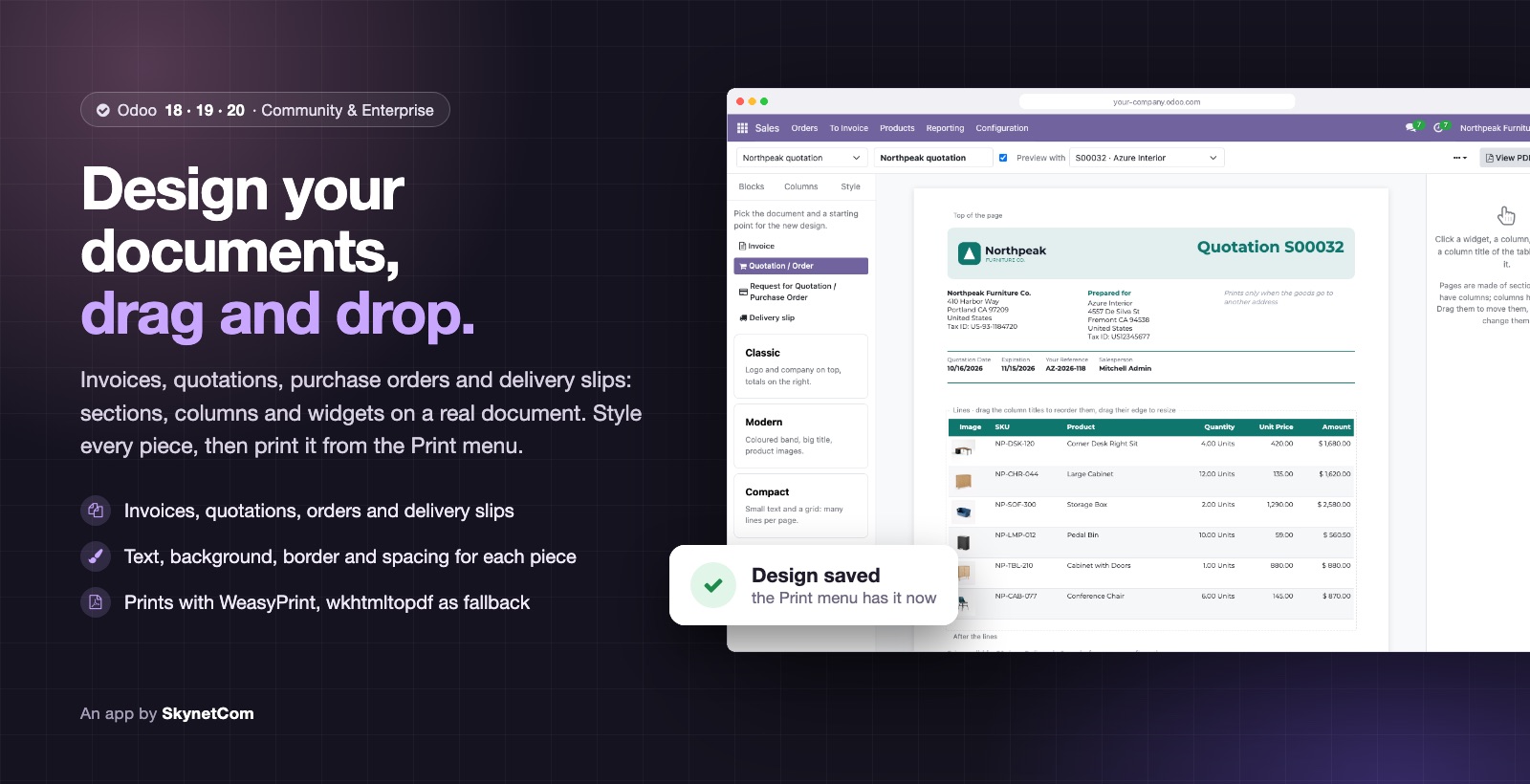
Selectable invoice columns, Spanish delivery slips and a drag & drop Document Designer.

03

Dashboards inside Odoo

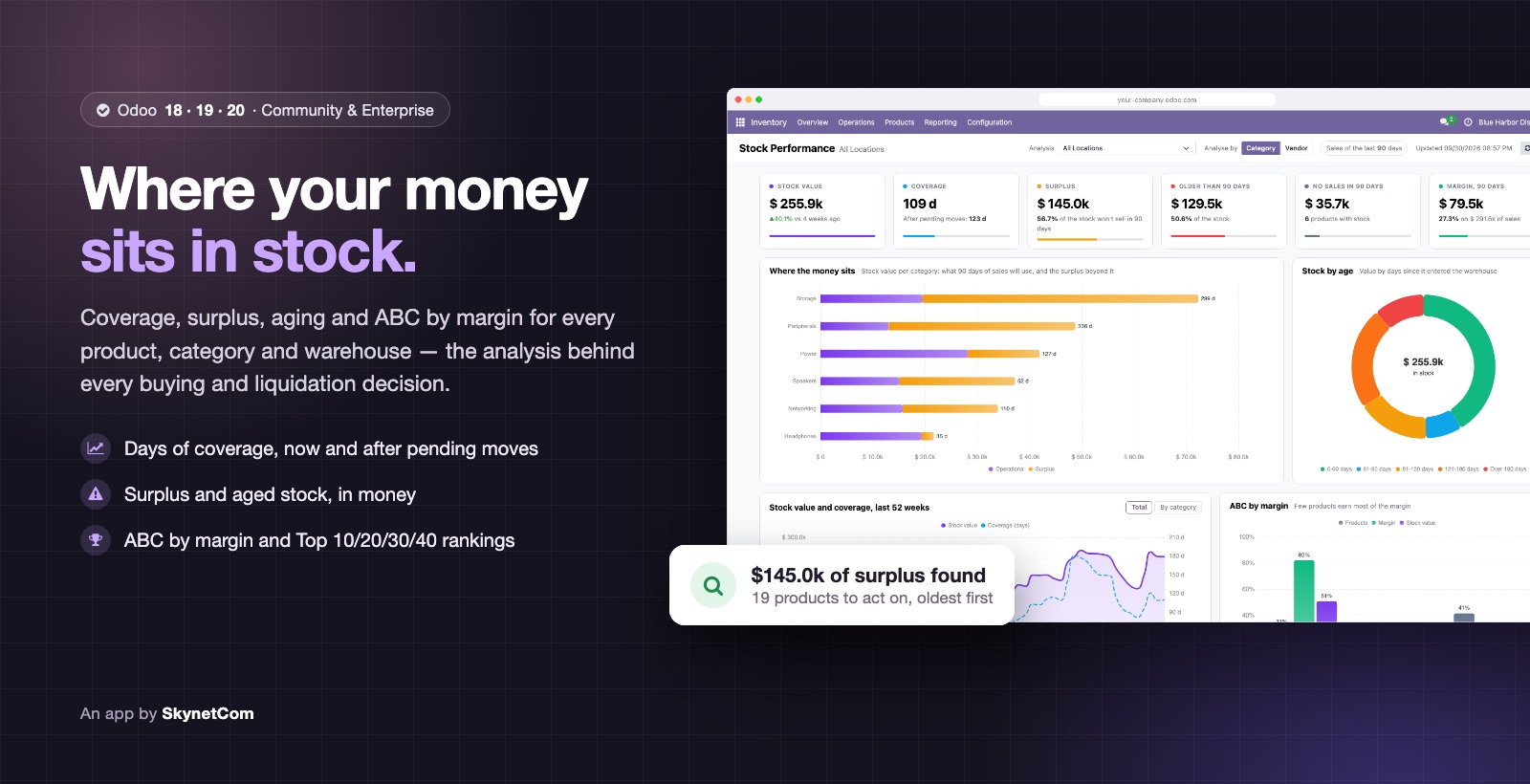
ECharts charts and stock analysis by age and location, without leaving the ERP.

04

Accounting automation

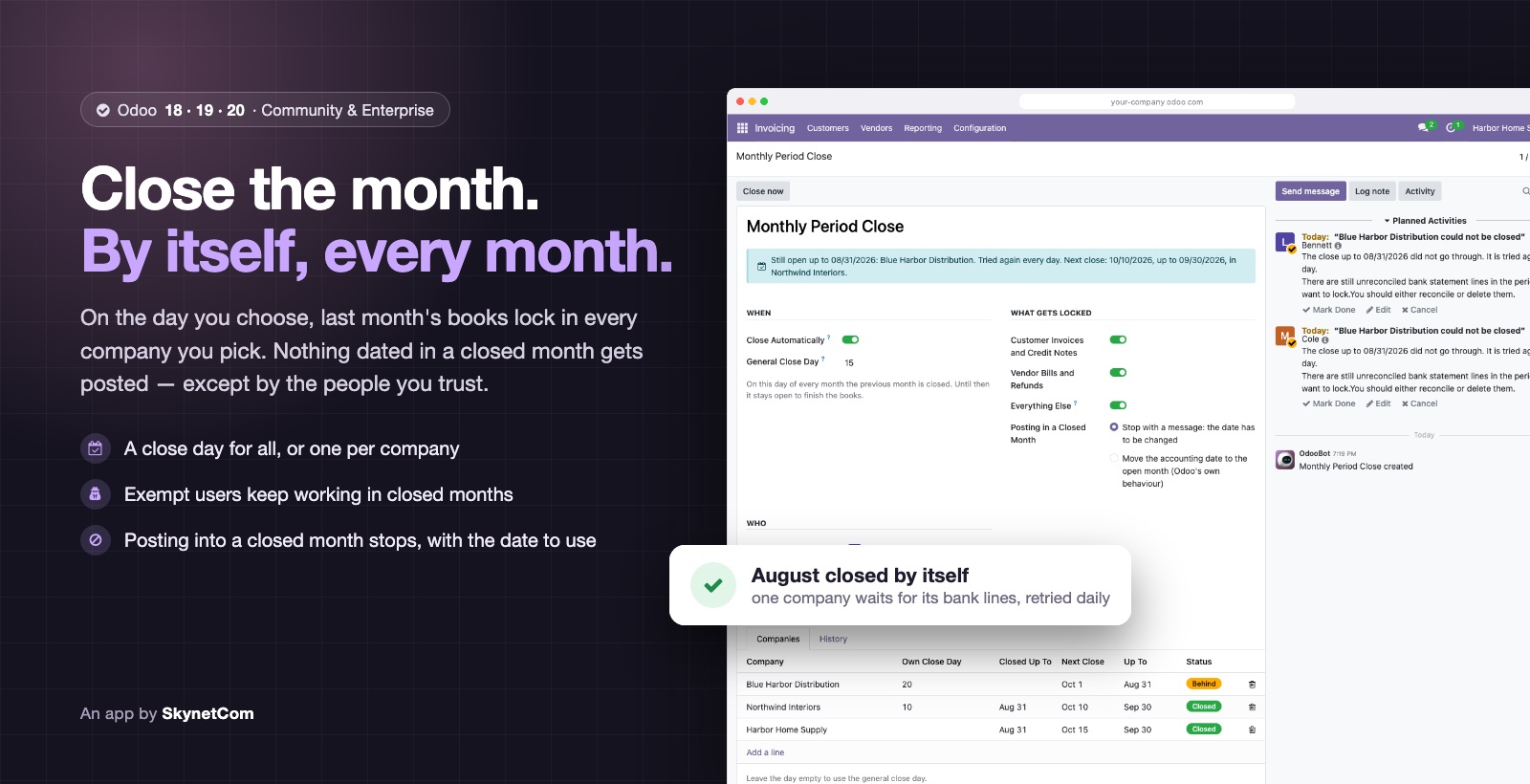
Automatic monthly closing and rules that block entries outside the open period.

05

AI connected to Odoo

Multi-provider connector: Anthropic, OpenAI-compatible, Groq, OpenRouter or local Ollama.

06

Performance tuning

We profile queries and views to fix bottlenecks, such as menus that took 1.3 s to open.

Specialties

What this service covers

01 / 06

Custom modules

What the standard doesn’t cover, as your own module: no core changes, with tests and ready to migrate.

PythonOdoo ORMOWLXMLPostgreSQLpytest
  • Model, view and business-rule inheritance
  • New fields, wizards and actions on your screens
  • OWL interfaces when a form isn’t enough
  • Parallel releases for Odoo 18, 19 and 20
  • Optimizing slow views and computations
02 / 06

PDF reports and documents

Invoices, quotes, orders and delivery slips in your format and each customer’s language.

QWebwkhtmltopdfDocument Designer
  • Custom QWeb templates per company or journal
  • Configurable columns on invoices and orders
  • Visual editor so your team can change the layout
  • Extra data: country of origin, images, lots
03 / 06

Dashboards and analytics

Dashboards inside Odoo with the numbers your management uses, no Excel exports.

EChartsOWLSQL viewsOdoo reporting
  • Sales, purchasing and inventory in interactive charts
  • Stock aging and coverage by location
  • Sales by delivery, backlog and OTIF
  • Stock valuation at a past date
04 / 06

Costing and stock valuation

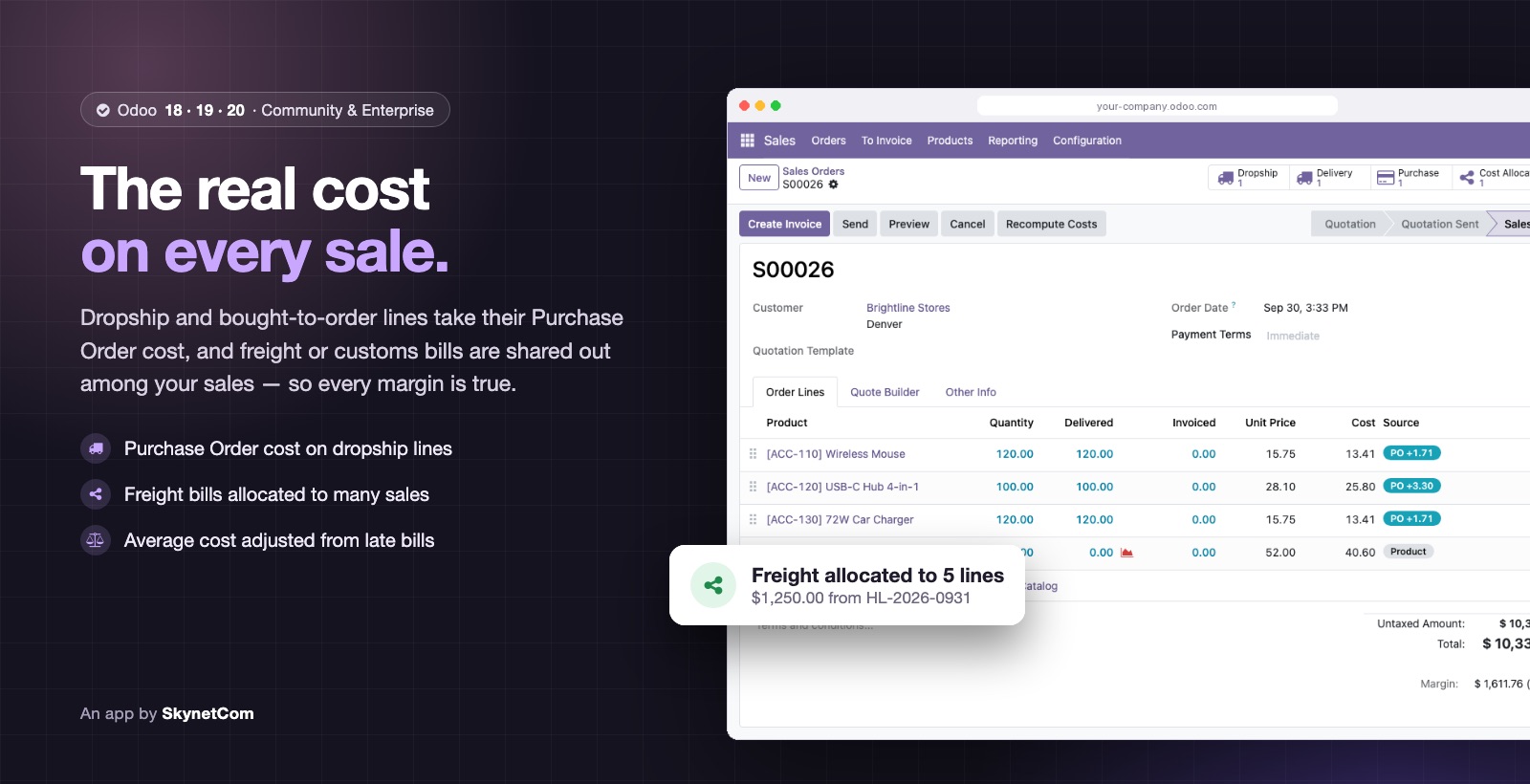
Real margin on every sale: dropship costs, freight and AVCO adjustments where they belong.

stock.valuationAVCOLanded costsDropship
  • Real cost per sales line
  • Freight and import cost allocation
  • Fixing historical average costs (AVCO)
  • Adapting to the new valuation in Odoo 19 and 20
05 / 06

Multi-company and inter-company

Groups with several companies in one Odoo, each with its own rules and no manual steps between them.

Multi-companyRecord rulesInter-company
  • A purchase in one company creates the sale in the other
  • Products linked by SKU, without sharing the catalog
  • User restrictions per company
  • Images and data synced across companies
06 / 06

Automations and importers

Less repetitive work inside Odoo: alerts, closings and bulk loads that run on their own.

ir.cronAutomated actionsExcel / CSV
  • Alerts to warehouse, accounting and logistics on order confirmation
  • Automatic monthly accounting close
  • Import products, accounts and lines by pasting from Excel
  • Scheduled actions and automated rules

Customizations already running in production

These are not hypothetical examples. They are modules we wrote for real operations that are used every day.

  • Dropship and AVCO costing
  • Intercompany sales by SKU
  • User and company restrictions
  • Automatic monthly closing
  • Stock by age and location
FAQ

FAQ

Do you use Studio or code?

Code, in custom modules tracked in Git. Studio is fine for small tweaks, but it is hard to maintain and migrate.

Can customizations be upgraded?

Yes. We follow Odoo conventions and never touch the core, so porting to the next version is a bounded job.

Does it work on Odoo Online?

No: Odoo Online does not allow custom Python modules. You need Odoo.sh or your own server. If you are on Online today, we help you move.

How long does a module take?

A one-off change, such as a report or a rule, usually takes a few days to two weeks. A module with several models and views, 3 to 8 weeks.

Contact

Is your Odoo or store not quite fitting how you work?

Write to us. We reply within one business day with next steps and, if needed, a discovery call.